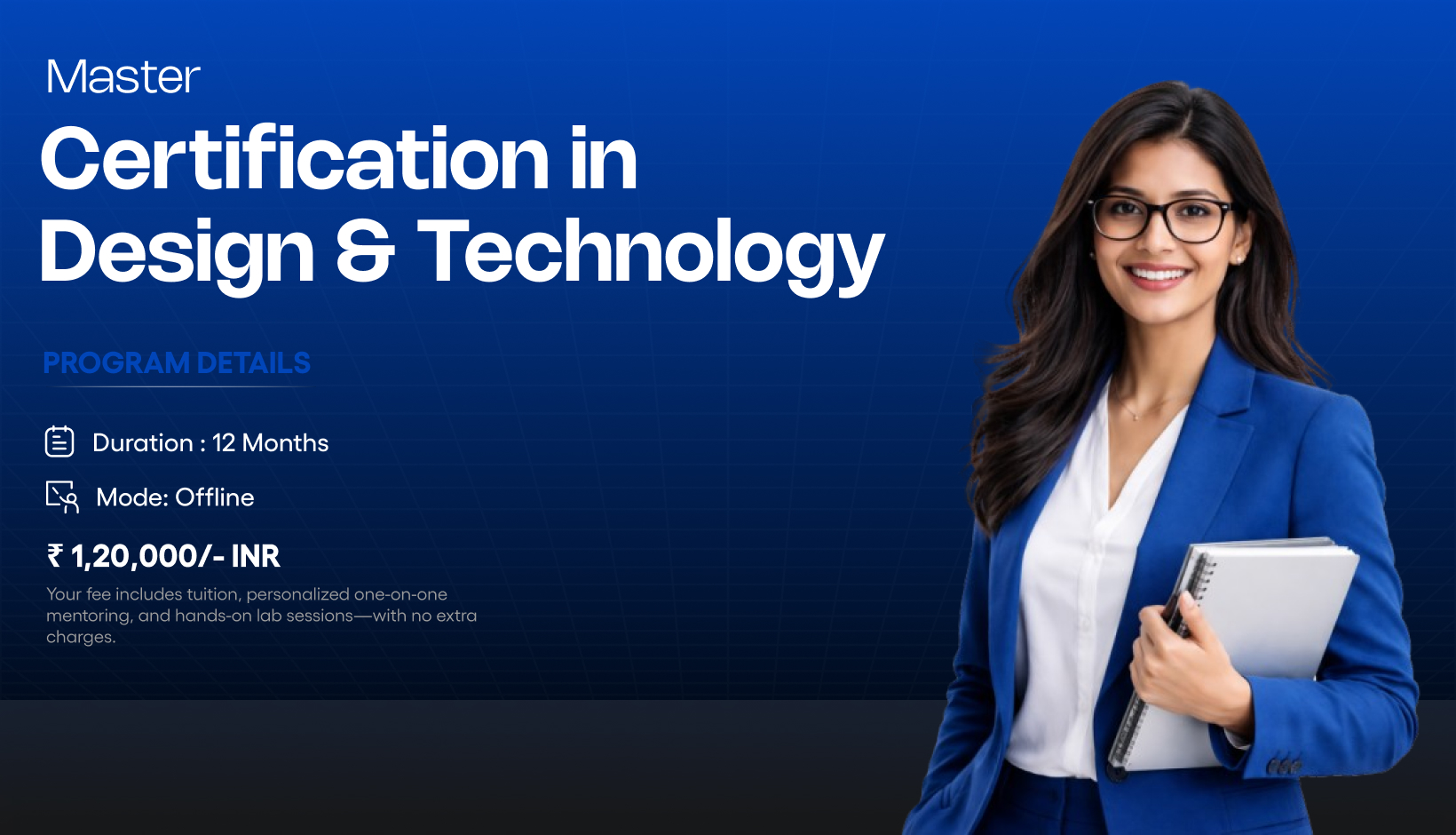
Master Certification in Design & Technology in Coimbatore
Master Certification in Design & Technology
We believe great careers are built on strong foundations. At
Mindscribe, we don’t just teach tools — we shape thinking,
skills, and confidence.
Why Choose Us
MSDT is a recognized institution dedicated to encouraging
and empowering individuals in the field of Multimedia and
Design. MSDT specializes in Graphic Design, UX/UI Design,
Digital Marketing, and Animation Design. The institute is
committed to providing a high-quality education that
combines theoretical foundations with practical skills. The
curriculum is designed to be relevant to current industry
standards and emerging trends, ensuring students are fully
prepared to tackle real-world design and technology
challenges.
Program Overview
Graphic Design
This Advanced Certification in Graphic Design is a
comprehensive, industry-aligned program designed to
transform students into confident, professional designers.
The curriculum blends Fine Arts foundation, strategic design
thinking, branding mastery, digital campaigns, print
production, and AI-assisted design workflows to match
real-world agency standards. Students begin with strong
fundamentals in art principles, perspective drawing,
sketching, and color theory before progressing into
professional tools, branding systems, marketing creatives,
large-format production, and portfolio building.
Module 1 — Fine Arts Foundation
Elements of Art (Line, Shape, Form, Texture,
Space, Color)
Principles of Design (Balance, Contrast,
Emphasis, Rhythm, Proportion)
Module 12 — Portfolio Development & Career
Preparation
Portfolio Case Study Building
Behance Presentation Structure
Resume Design for Creatives
LinkedIn Optimization
Freelancing Fundamentals
Project Estimation & Pricing Basics
Adobe Photoshop
Adobe Illustrator
Adobe InDesign
Adobe Firefly
Midjourney
DALL·E
Leonardo AI
Create professional designs for print,
digital, and branding platforms
Design logos, brand identities, and
marketing creatives
Apply design principles, color theory, and
typography effectively
Work confidently with industrystandard
design tools
Build and present a professional design
portfolio
Collaborate on real-world projects in team
environments
Graphic Designer
Visual Designer
Branding Designer
Digital Media Designer
Print Media Designer
Creative Designer
Freelance Designer
What is the Graphic Design course offered at
Mindscribe School of Design & Technology in
Coimbatore?
The
Best Graphic Design course in Coimbatore
is a career-focused program designed to
teach visual communication, branding,
typography, and digital design. The course
emphasizes practical learning, industry
tools, and real-world projects to prepare
students for professional design careers.
Who can join the Graphic Design course in
Coimbatore?
Anyone with an interest in creativity and
visual design can join the
Graphic Design course in Coimbatore at
MSDT.
This course is suitable for school students,
college graduates, working professionals,
career switchers, and beginners with no
prior design experience.
What software and tools are covered in the
Graphic Design course?
The
Graphic Design course at Mindscribe
School of Design & Technology, Coimbatore
covers industry-standard tools such as Adobe
Photoshop, Illustrator, InDesign, and design
fundamentals like layout systems,
typography, color theory, and branding
workflows.
Is the Graphic Design course practical or
theory-based?
The
Graphic Design course at MSDT, Coimbatore
is 100% practical and
project-based.
Students work on real-world design
assignments, branding projects, posters,
social media creatives, and portfolio-ready
works instead of only learning theory.
Does Mindscribe provide placement support
after the Graphic Design course?
Yes. Mindscribe School of Design &
Technology in Coimbatore provides
career guidance, portfolio development,
resume support, and interview preparation
for students completing the Graphic Design
course, helping them become job-ready for
the design industry.
What career opportunities are available
after completing a Graphic Design course in
Coimbatore?
After completing the
Graphic Design course at MSDT,
Coimbatore,
students can work as Graphic Designers,
Visual Designers, Branding Designers, Social
Media Designers, Marketing Designers, or
Freelance Designers in agencies, startups,
and corporate teams.
What is the duration of the Graphic Design
course at Mindscribe School of Design &
Technology?
The
Professional graphic design training in
Coimbatore
typically ranges from a few months to
advanced levels, depending on the learning
path chosen. The curriculum is structured to
ensure strong design fundamentals and
industry readiness.
Is the Graphic Design course suitable for
beginners?
Yes. The
Graphic Design course in Coimbatore at
MSDT
is beginner-friendly. The program starts
with basic design principles and gradually
progresses to advanced design concepts,
tools, and professional workflows.
Will I get a certificate after completing
the Graphic Design course?
Yes. Students who successfully complete the
Graphic Design course at Mindscribe
School of Design & Technology,
Coimbatore
receive a recognized certification that
validates their skills and enhances their
employability in the design industry.
Why choose Mindscribe School of Design &
Technology for a Graphic Design course in
Coimbatore?
Mindscribe School of Design & Technology
stands out in Coimbatore for its
industry-aligned Graphic Design
course,
experienced mentors, practical learning
approach, modern infrastructure, and strong
focus on portfolio and career development.
Program Overview
UX/UI Design
The UX/UI Design Program is a premium, industry-focused
course designed to transform beginners into job-ready UX/UI
and Product Designers. This program follows a real-world
product design workflow, combining user research, product
thinking, visual design, prototyping, and developer handoff.
Students gain hands-on experience through live projects,
case studies, and a comprehensive capstone project aligned
with modern industry practices.
Module 1: UX Foundations & Product Thinking
UX vs UI vs Product Design
User-Centered Design principles
Design Thinking process
Product thinking & business goals
UX roles in real product teams
Module 2: Research, Discovery & Market
Analysis
Qualitative & quantitative research
User interviews & surveys
Market & trend analysis
Competitive analysis (SWOT, feature mapping)
Persona creation & empathy mapping
Module 3: Problem Definition & UX Strategy
Identifying user pain points
Affinity mapping & insights
Problem statements & HMW framework
UX hypothesis creation
MVP feature definition & prioritization
Module 4: Information Architecture & User
Flow Design
Information architecture principles
Sitemap & user flow creation
Task & onboarding flows
UX laws & flow validation
Flow testing using FigJam
Module 5: Wireframing & UX Validation
Low-fidelity & mid-fidelity wireframes
Paper sketches to digital wireframes
Wireframe best practices
Wireflows & usability heuristics
UX validation techniques
Module 6: Accessibility & Inclusive Design
Accessibility fundamentals (WCAG 2.1)
Color contrast & readability
Designing for differently-abled users
Inclusive UX patterns
Accessibility testing basics
Module 7: UI Design Fundamentals & Visual
Systems
UI principles & visual hierarchy
Color theory & typography systems
Grid systems & spacing
Material Design & iOS HIG overview
Mobile & web UI patterns
Module 8: Figma Mastery & Design Systems
Figma workspace & libraries
Components, variants & auto layout
Design tokens & style guides
Design systems creation
Collaboration & version control
Module 9: Screen Design & UI Patterns
Splash & onboarding screens
Authentication & form design
Home screens & dashboards
Error states & empty states
Responsive website UI design
Module 10: Prototyping, Interaction & Motion
Interactive prototypes
Micro-interactions & animations
Auto-animate & transitions
Usability testing with users
Iteration based on feedback
Module 11: Agile UX & Developer Handoff
UX in Agile & Scrum teams
Sprint-based design workflow
Working with product managers
Developer handoff & documentation
Design specifications & annotations
Module 12: Capstone Project
End-to-end product design project
Research, UX flows & wireframes
UI design & prototyping
Testing, iteration & final delivery
Module 13: Portfolio, Career & Freelancing
Readiness
UX case study storytelling
Portfolio & resume preparation
LinkedIn & personal branding
Interview & design challenge prep
Freelancing & client handling basics
Figma
FigJam
Balsamiq
Marvel
Adobe XD
Accessibility Tools
Collaboration Tools
Design user-centered, business-driven
digital products
Conduct user research and usability testing
independently
Create professional wireframes, UI designs &
prototypes
Build and present industry-ready UX/UI
portfolios
Collaborate effectively with developers &
product managers
UX Designer
UI Designer
UX/UI Designer
Product Designer
Trainee UX/UI Designer
Program Overview
Video Editing & Animation
The Video Editing & Animation Program is a comprehensive,
industry-aligned 3-month course designed to prepare students
for entry-level roles in animation, video editing, and
motion graphics. The program focuses on building strong
creative fundamentals, mastering professional tools, and
Apply Now skills through real-world projects. Students gain
hands-on experience in 2D animation, video storytelling, and
motion graphics, enabling them to create industry-ready
visual content for digital platforms, media, and marketing.
Module 1: Introduction to Animation & Video
Production
Overview of animation, video editing, and
motion graphics
Industry applications and career paths
Understanding animation & video workflows
Module 2: Animation Fundamentals (Adobe
Animate)
Color Principles of animation (timing,
pacing, squash & stretch) Theory & Color
Psychology
Frame-based animation concepts
Apply Now animation principles in projects
Module 3: Adobe Animate – Tools & Vector
Design
Adobe Animate interface & workspace
Drawing tools and vector artwork creation
Sketch-to-vector workflow
Optimizing assets for animation
Module 4: 2D Animation Techniques
Timeline & layer management
Frame-by-frame animation
Motion, shape & classic tweens
Symbol usage and reusable assets
Module 5: Character & Cartoon Animation
Designing simple characters
Basic character rigging
Animating walk cycles and expressions
Exporting animations for digital platforms
Module 6: Video Editing Fundamentals (Adobe
Premiere Pro)
Video editing workflow & storytelling
Premiere Pro interface & project setup
Importing media and timeline editing
Trimming, rearranging, and multi-track
editing
Module 7: Video Effects, Color & Audio
Video effects and transitions
Keyframe-based animations
Color correction using Lumetri Color
Audio balancing and basic audio effects
Titles, captions, and lower-third graphics
Module 8: Motion Graphics (Adobe After
Effects)
After Effects interface & composition setup
Keyframe animation fundamentals
Text and shape animations
Layer-based motion graphics design
Module 9: Compositing & Visual Effects
Basics
Green screen keying
Masking and compositing fundamentals
Plugins & presets awareness (conceptual)
Module 10: Export, Workflow & Industry
Practices
Premiere Pro & After Effects workflow
Exporting for social media, web & broadcast
Render Queue & Media Encoder
File formats, codecs & delivery standards
Module 11: Projects & Portfolio Development
2D animated short clip
Edited video project
Motion graphics video
Clean timelines, layers & exports
Module 12: Career & Portfolio Readiness
Showreel and portfolio preparation
Project presentation techniques
Entry-level job & freelance guidance
Adobe Animate
Adobe After Effects
Adobe Premiere Pro
Adobe Media Encoder
Create professional 2D animations, edited
videos & motion graphics for digital
platforms
Edit videos with proper storytelling,
spacing, color correction, and audio balance
Build a portfolio and showreel showcasing
animation, video editing, and motion
graphics projects
Design engaging motion graphics, titles,
lower-thirds, and animated content
Junior Video Editor
Motion Graphics Artist
2D Animator
Content Editor
Visual Content Creator
Creative Executive
Media Production Assistant
Program Overview
Front-End Development
The Front-End Development Program at Mindscribe School of
Design and Technology is a comprehensive, industry-aligned
course designed to build strong foundations in modern web
interface development. This program trains learners to
create responsive, accessible, and high-performance user
interfaces using core web technologies and modern frontend
frameworks. Students gain hands-on experience with
real-world development workflows, API integration,
debugging, version control, and deployment practices
followed by professional frontend teams. By the end of the
program, learners will be able to confidently convert
requirements into production-ready frontend applications.
Module 1: Introduction to Front-End
Development
Frontend development overview
Role & responsibilities of a frontend
developer
How websites work
Client–server architecture
Frontend technology ecosystem
Development workflow (local → staging →
production)
Tools required for frontend development
Module 2: HTML – Structure of the Web
HTML document structure
Elements, tags & attributes
Semantic HTML best practices
Forms & input elements
HTML5 form validation
Media elements (audio, video, iframe)
Accessibility basics (alt text, labels,
intro to ARIA)
SEO-friendly HTML & Open Graph basics
Module 3: React.js Frontend Development
CSS selectors & box model
Positioning (relative, absolute, fixed,
sticky)
Flexbox layout
CSS Grid layout
Responsive & mobile first design
Cross-browser compatibility
Transitions & keyframe animations
Performance-friendly CSS practices
Module 4: CSS Frameworks & Preprocessors
Introduction to CSS frameworks
Bootstrap fundamentals & grid system
Bootstrap components & customization
Utility-first CSS concepts
SASS basics
Module 5: Web Design Best Practices &
Developer Tools
Build responsive and accessible websites
using HTML, CSS, and JavaScript
Develop interactive user interfaces with
modern frontend practices
Implement mobile-first and cross browser
compatible layouts
Integrate frontend applications with backend
APIs
Build Single Page Applications using React
fundamentals
Frontend Developer
Web Developer
Full-Stack Developer
UI Developer
JavaScript Developer
Junior React Developer
Software Engineer (Entry-Level)
Let’s Help You
What is the Master Certification in Design &
Technology?
The Master Certification in Design &
Technology is an
advanced, career-oriented program
that combines
creative design, user experience, motion
graphics, and front-end
development.
It prepares students to build
end-to-end digital
products, from visual design to interactive
implementation.
Who can enroll in the Master Certification
program at Mindscribe?
This program is ideal for:
Students and fresh graduates
Aspiring designers and developers
Career switchers entering the digital
industry
Creative professionals looking to
upskill
Entrepreneurs and freelancers
No prior experience is mandatory; training
starts from fundamentals and progresses to
advanced levels.
What specializations are covered in this
Master Certification?
Video Editing & Animation
(motion graphics, storytelling, visual
effects)
Front-End Development
(HTML, CSS, JavaScript, responsive
design, React basics)
Is this Master Certification course
practical?
Yes. This is a
100% practical, project-based master
program.
Students will work on:
Real-world design and development
projects
UX case studies
Motion and animation projects
Responsive websites and interfaces
A comprehensive capstone project
How is this Master Certification different
from individual courses?
Individual courses focus on a single
skill.
The
Master Certification builds
multi-disciplinary expertise,
enabling students to design, animate,
and develop complete digital
experiences.
This program is ideal for students aiming
for
high-value creative and tech
roles.
Will I receive a certificate after
completing the Master Certification?
Yes. After successful completion, students
will receive a
Master Certification in Design &
Technology from Mindscribe School of
Design & Development,
suitable for senior-level job applications
and strong portfolios.
Does Mindscribe provide placement or career
support for this program?
Yes. Mindscribe provides:
Portfolio and capstone project reviews
Resume, LinkedIn, and personal branding
guidance
Mock interviews and career mentoring
Job and freelance career guidance
Career support is based on performance,
specialization, and portfolio strength.
Is the Master Certification in Design &
Technology available in Coimbatore?
Yes. The program is available at
Mindscribe School of Design & Development,
Coimbatore,
with:
Offline classroom training
Online live instructor-led sessions
What career opportunities are available
after completing this Master Certification?
After completing the program, students can
apply for roles such as:
Product Designer
UX/UI Designer
Front-End Developer
Multimedia Designer
Creative Technologist
Digital Product Specialist
Graduates are suited for roles in
startups, agencies, and product companies.
Why choose Mindscribe for Master
Certification in Design & Technology in
Coimbatore?
Mindscribe stands out because of:
Industry-aligned master-level curriculum
Design + Technology integrated learning
approach
Mentor-led practical training
Real-world projects and portfolio
development
Strong career-focused mentoring
Student Testimonials
I'm currently pursuing a Master of Design and
Technology course in Mindscribe School of Design
and Technology (MSDT). Staff were friendly and
helpful, actually i'm from different field, so I
had fear in shifting my career ,but here the
teaching was good, so I got some confidence. I
really had a good experience here. Master course
includes ( Graphic Design, UX UI Design, Web
Design, Video Editing & Animation)
Guru Santhosh
Design & Technology
Mindscribe cbe have an friendly staff behaviour,
teaches beyond the course (fine arts, life skills,
entertainments etc), also clarifies our queries at
any time, best supportive mentors n good
environment. Can gain real-time experience n
partical knowledge.